Deploy & hack into a Windows machine, exploiting a very poorly secured media server.
💢 We will cover the topics
- Network Enumeration
- CVE-2004-1561 - Icecast 2.0.1
- Metasploit (local_exploit_suggester)
- Metasploit (bypassuac_eventvwr)
[Task 1] Connect
Connect to the TryHackMe network! Please note that this machine does not respond to ping (ICMP) and may take a few minutes to boot up.
The virtual machine used in this room (Ice) can be downloaded for offline usage from https://darkstar7471.com/resources.html. The sequel to this room, Blaster, can be found here.
- Connect to our network using OpenVPN. Here is a mini walkthrough of connecting: Go to your access page and download your configuration file.
No answer needed
- Use an OpenVPN client to connect. In my example I am on Linux, on the access page we have a windows tutorial.
 (change “ben.ovpn” to your config file)
When you run this you see lots of text, at the end it will say Initialization Sequence Completed
No answer needed
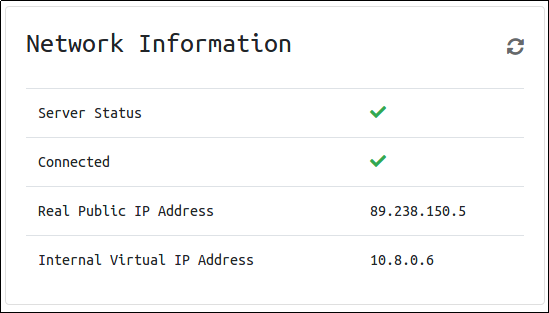
- You can verify you are connected by looking on your access page. Refresh the page
You should see a green tick next to Connected. It will also show you your internal IP address.
You are now ready to use our machines on our network!
No answer needed
- Now when you deploy material, you will see an internal IP address of your Virtual Machine.
No answer needed
[Task 2] Recon

Scan and enumerate our victim!
- Deploy the machine! This may take up to three minutes to start.
No answer needed
- Launch a scan against our target machine, I recommend using a SYN scan set to scan all ports on the machine. The scan command will be provided as a hint, however, it’s recommended to complete the room ‘RP: Nmap’ prior to this room.
| |
| |
No answer needed
- Once the scan completes, we’ll see a number of interesting ports open on this machine. As you might have guessed, the firewall has been disabled (with the service completely shutdown), leaving very little to protect this machine. One of the more interesting ports that is open is Microsoft Remote Desktop (MSRDP). What port is this open on?
3389
- What service did nmap identify as running on port 8000? (First word of this service)
Icecast
- What does Nmap identify as the hostname of the machine? (All caps for the answer)
[Task 3] Gain Access

Exploit the target vulnerable service to gain a foothold!
- Now that we’ve identified some interesting services running on our target machine, let’s do a little bit of research into one of the weirder services identified: Icecast. Icecast, or well at least this version running on our target, is heavily flawed and has a high level vulnerability with a score of 7.5 (7.4 depending on where you view it). What type of vulnerability is it? Use https://www.cvedetails.com for this question and the next.
execute code overflow
- What is the CVE number for this vulnerability? This will be in the format: CVE-0000-0000
CVE-2004-1561
- Now that we’ve found our vulnerability, let’s find our exploit. For this section of the room, we’ll use the Metasploit module associated with this exploit. Let’s go ahead and start Metasploit using the command
msfconsole
No answer needed
- After Metasploit has started, let’s search for our target exploit using the command ‘
search icecast’. What is the full path (starting with exploit) for the exploitation module? This module is also referenced in ‘RP: Metasploit’ which is recommended to be completed prior to this room, although not entirely necessary.
exploit/windows/http/icecast_header
- Let’s go ahead and select this module for use. Type either the command
use icecastoruse 0to select our search result.
No answer needed
- Following selecting our module, we now have to check what options we have to set. Run the command
show options. What is the only required setting which currently is blank?
RHOSTS
- First let’s check that the LHOST option is set to our tun0 IP (which can be found on the access page). With that done, let’s set that last option to our target IP. Now that we have everything ready to go, let’s run our exploit using the command
exploit
No answer needed
[Task 4] Escalate
- Woohoo! We’ve gained a foothold into our victim machine! What’s the name of the shell we have now?
meterpreter
- What user was running that Icecast process? The commands used in this question and the next few are taken directly from the ‘RP: Metasploit’ room.
| |
| |
Dark
- What build of Windows is the system?
| |
| |
7601
- Now that we know some of the finer details of the system we are working with, let’s start escalating our privileges. First, what is the architecture of the process we’re running?
x64
- Now that we know the architecture of the process, let’s perform some further recon. While this doesn’t work the best on x64 machines, let’s now run the following command
run post/multi/recon/local_exploit_suggester. This can appear to hang as it tests exploits and might take several minutes to complete
| |
| |
No answer needed
- Running the local exploit suggester will return quite a few results for potential escalation exploits. What is the full path (starting with exploit/) for the first returned exploit?
exploit/windows/local/bypassuac_eventvwr
- Now that we have an exploit in mind for elevating our privileges, let’s background our current session using the command
backgroundorCTRL + z. Take note of what session number we have, this will likely be 1 in this case. We can list all of our active sessions using the commandsessionswhen outside of the meterpreter shell.
No answer needed
- Go ahead and select our previously found local exploit for use using the command
use FULL_PATH_FOR_EXPLOIT
| |
No answer needed
- Local exploits require a session to be selected (something we can verify with the command
show options), set this now using the commandset session SESSION_NUMBER
No answer needed
- Now that we’ve set our session number, further options will be revealed in the options menu. We’ll have to set one more as our listener IP isn’t correct. What is the name of this option?
LHOST
- Set this option now. You might have to check your IP on the TryHackMe network using the command
ip addr
No answer needed
- After we’ve set this last option, we can now run our privilege escalation exploit. Run this now using the command
run. Note, this might take a few attempts and you may need to relaunch the box and exploit the service in the case that this fails.
| |
No answer needed
- Following completion of the privilege escalation a new session will be opened. Interact with it now using the command
sessions SESSION_NUMBER
| |
No answer needed
- We can now verify that we have expanded permissions using the command
getprivs. What permission listed allows us to take ownership of files?
| |
No answer needed
- We can now verify that we have expanded permissions using the command
getprivs. What permission listed allows us to take ownership of files?
SeTakeOwnershipPrivilege
[Task 5] Looting

Learn how to gather additional credentials and crack the saved hashes on the machine.
- Prior to further action, we need to move to a process that actually has the permissions that we need to interact with the lsass service, the service responsible for authentication within Windows. First, let’s list the processes using the command
ps. Note, we can see processes being run by NT AUTHORITY\SYSTEM as we have escalated permissions (even though our process doesn’t).